 BestTime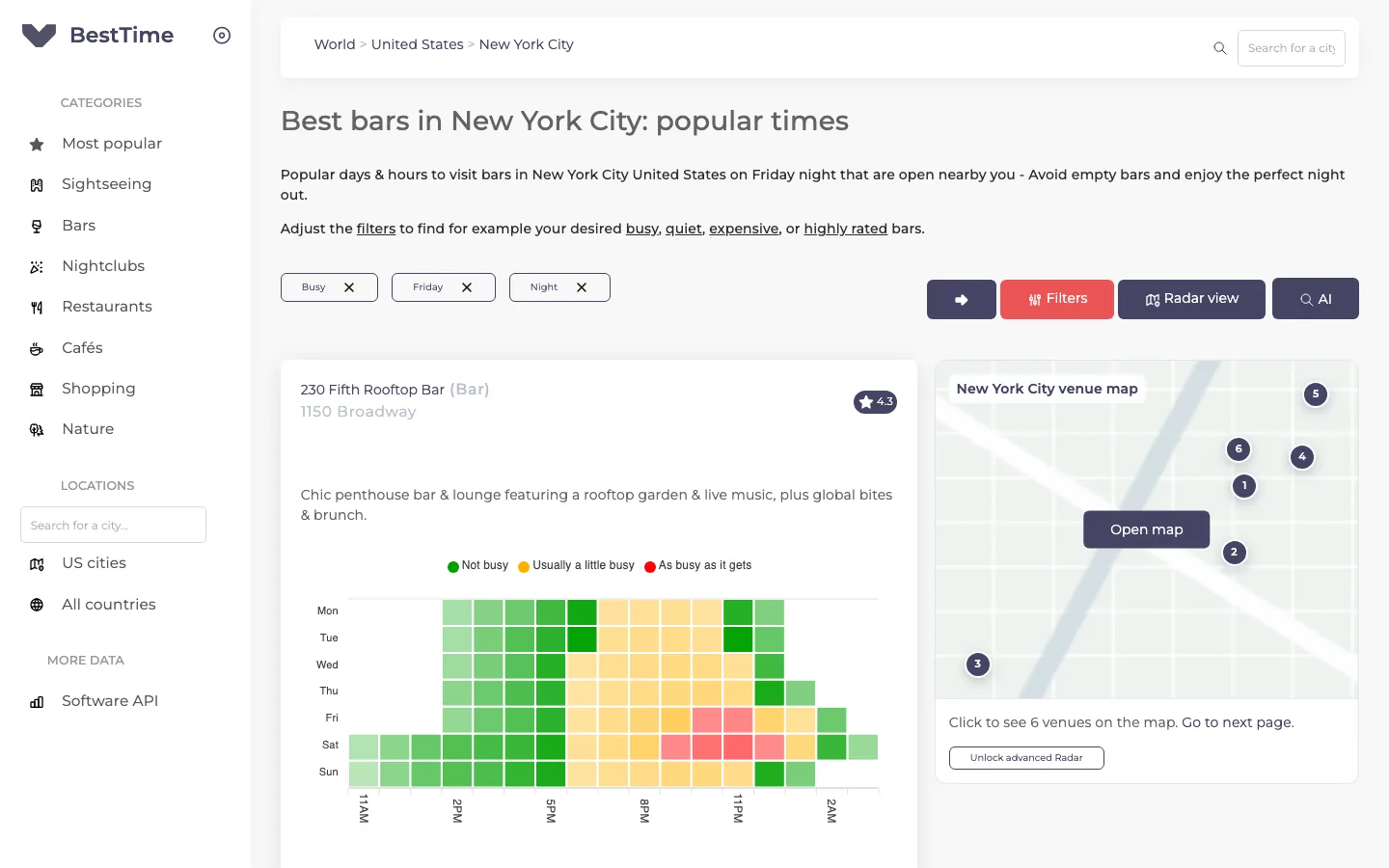
Foot traffic forecasting predicts how busy a venue will be at each hour of the week. BestTime builds these forecasts for public places in 150+ countries and gives every hour a value from 0 to 100, where 100 is the venue's own busiest hour. You can explore them in three ways: free city guides in your browser, the forecast tool in your account, and the API.
This introduction shows what each tool does and which one fits your task. For the method behind the numbers, read how venue busyness forecasts work.
How foot traffic forecasting works
A forecast describes a typical week for one venue. BestTime looks at how visits to that venue rose and fell over recent weeks and turns that pattern into 168 hourly values (24 hours times 7 days).
The input is anonymized, aggregated phone location data combined with other real-world signals such as weather, events and holidays. No single person can be seen in the output. You only get the shape of the week.
Three things make the forecast easy to use:
- Relative scale. Each hour is compared with the venue's own busiest hour of the week. A 50 means "half as busy as this venue gets at its peak". It is not a head count and not a share of capacity. BestTime does not return visitor counts.
- Every hour, every day. You can ask about Tuesday at 10 AM as easily as Saturday at 9 PM.
- A nightlife-friendly day. A BestTime day runs from 6 AM to 5 AM the next morning, so Friday night stays part of Friday.
A forecast stays useful for weeks. Refresh it every 2 to 4 weeks to follow seasonal changes.
Foot traffic metrics you get
A single forecast gives you more than a bar chart. These are the metrics BestTime returns for every venue:
| Metric | What it answers |
|---|---|
| Hourly busyness (0-100) | How busy is it at 3 PM on Saturday compared with its peak? |
| Peak hours | When does the rush start, top out and end? How strong is it (1 to 5)? |
| Busy hours and quiet hours | Which hours should I aim for or avoid today? |
| Surge hours | When do most people arrive, and when do most people leave? |
| Day ranking by peak | Which day has the highest peak (rank 1) and the lowest (rank 7)? |
| Day ranking by volume | Which day brings the most visits overall? |
| Hour intensity | Is this hour Low, Below average, Average, Above average or High? |
| Dwell time | How long do visitors usually stay, in minutes? |
Together these answer the questions people ask before a visit or a business decision: when to go, when to staff up, when to run a promotion, and which nearby place is calmer.
Free city guides: browse forecasts without an account
The quickest way to see foot traffic predictions is the city guides. Each guide lists venues in one city and category with a week heatmap per venue. The URL pattern is /app/<Country>/<City>/<category>, with the categories sightseeing, bar, restaurant, cafe and nightclub.
For example, bars in New York City shows forecasts for bars across the city. Add filters in the URL or with the filter buttons: busy bars on Friday night uses day=friday, time=night and busy=busy.
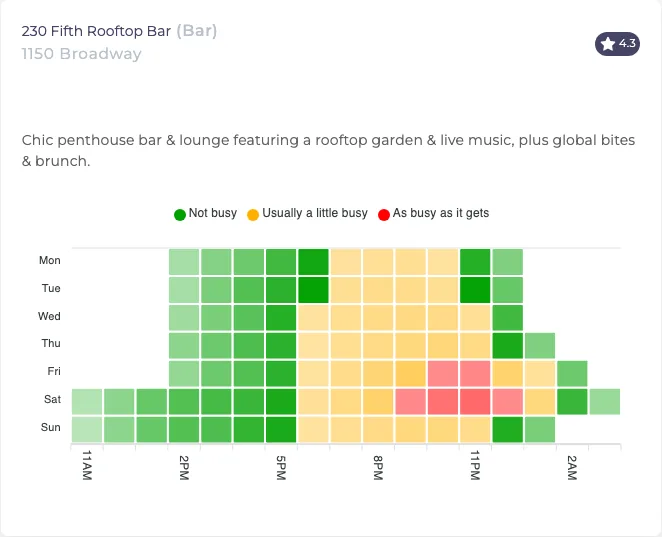 A venue card from the New York bars guide. Red cells are the busiest hours of the week, green cells the quietest.
Each card shows:
- A week heatmap with one row per day and one column per hour. Green means not busy, yellow usually a little busy, red as busy as it gets.
- A short summary of when the place is most popular, how long people usually stay and which day is quietest.
- The venue's rating.
The sightseeing guides work the same way. A city page also shows an aggregate heatmap for all spots together, so you can see when the whole category is busy.
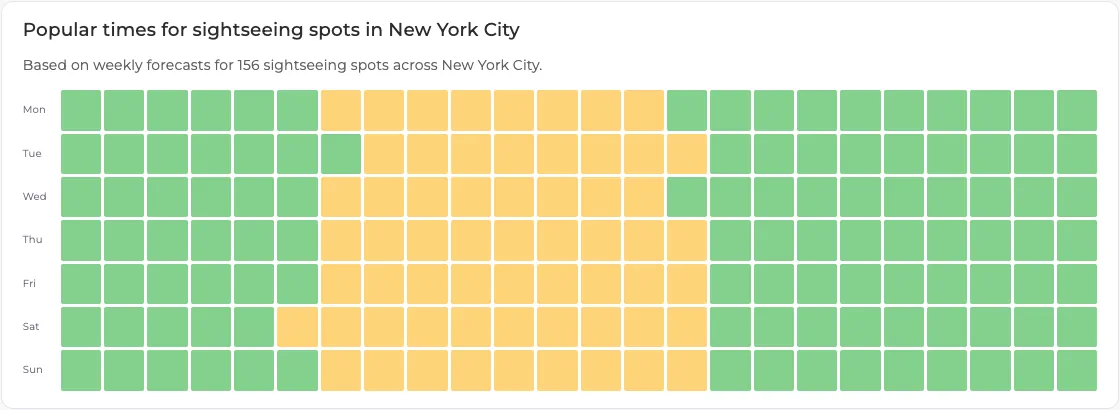 All 156 sightseeing spots in New York City combined. Late mornings and afternoons are the busy band on every day.
Use the city guides when you want to plan a visit, check a hunch about a neighborhood, or show a colleague what the data looks like before you commit to anything.
The forecast tool: forecast any venue after signup
The city guides cover popular categories. To forecast a venue of your choice, create a free account. No credit card is needed.
In your dashboard, open New Forecast, type the venue name and address, and pick the suggested address. BestTime checks whether there is enough data and returns the forecast in a few seconds. If the venue is found but has too little data, the tool tells you so. A venue usually needs at least 100 visitors per week.
The result page shows:
- The current day: the 0-100 forecast for each hour, with the day's rank in the week.
- Now and in 2 hours: the forecast intensity for the current hour and two hours ahead, on the 5-step scale.
- Peaks: when each peak starts, reaches its maximum and ends.
- Busy and quiet hours: plain-language lists, such as "It will be quiet from 6 AM to 8 AM".
- Arrival and departure hours: when most people come in and leave.
- Week overview: a chart of the whole week plus tables that rank the days by peak and by average volume.
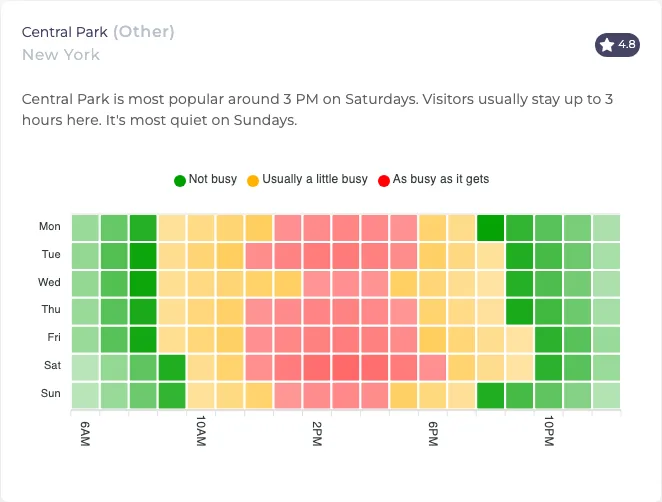 Central Park: busiest around 3 PM on Saturday, quietest on Sundays. Visitors usually stay up to 3 hours.
Every forecast you make is saved in your account. You can open it again later or use it in the other tools.
Venue Search and the map: forecast a whole area
Forecasting venues one by one gets slow when you want every bar in a district. Two more tools in your account handle that:
- Venue Search takes a query such as "cocktail bars in Lower Manhattan" or "supermarkets in Sydney". It finds matching venues and forecasts each one.
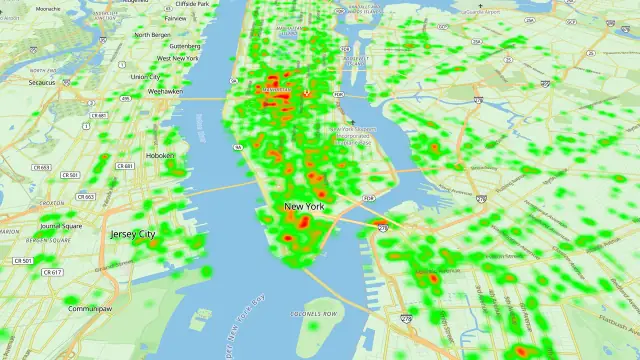
- The map tool (Radar) shows forecast venues on a heatmap. You filter them by busyness, day, hour, venue type, rating, reviews and price level. A timeline above the map lets you step through the hours of the day.
Typical questions these tools answer: which bars in this neighborhood are busy on Friday from 9 PM to 11 PM, which supermarkets nearby are quiet on Sunday morning, which museums are calm at opening time.
For more filter recipes, read the guide to filtering public businesses by foot traffic.
The API: put forecasts in your own product
Every website tool runs on the same REST API, so anything you can click you can also code. Developers use it to:
- show "usually quiet" and "usually busy" labels in a city guide or travel app,
- rank venues by how busy they will be at the time a user plans to go,
- plan staff, deliveries or ad slots around forecast peaks,
- study how demand differs by day, hour and category.
The core calls are New Forecast (name and address in, weekly forecast out), the query endpoints (read one day, hour, peak or quiet period by venue_id), Venue Search and Venue Filter. The beginner's guide to the foot traffic data API walks through each one with code.
Credits and pricing
The website tools and the API use the same credits:
- The first forecast for a venue by name and address costs 2 credits. A refresh or a query by venue ID costs 1 credit.
- The free test account needs no credit card.
- Basic Usage costs $29 per month including 1,200 credits, then $0.04 per credit.
- Pro Venues gives unlimited forecasts for a fixed list of venues: $96 per month for 50 venues, $119 for 100, $149 for 500 and $249 for 1,000.
Your settings page shows your remaining credits and a usage log. Full details are on the pricing page.
Which tool should you use?
| You want to | Use |
|---|---|
| See when bars or sights in a city are busy, for free | City guides |
| Check one specific store, gym or restaurant | Forecast tool |
| Compare or filter many venues in an area on a map | Venue Search and the map tool |
| Show forecasts in your own app or dashboard | The API |
Next steps
- Start coding with the beginner's guide to the foot traffic data API.
- Read how venue busyness forecasts work.
- Compare data providers in the foot traffic data guide.
Questions
What is foot traffic forecasting?
Foot traffic forecasting predicts how busy a place will be at each hour of a typical week, based on recent visit patterns. BestTime gives each hour a value from 0 to 100, where 100 is the venue's own busiest hour.
Which foot traffic metrics does BestTime forecast?
Hourly busyness from 0 to 100, peak hours, busy and quiet hours, the hours when most people arrive and leave, day rankings by peak and by volume, and dwell time.
Can I see foot traffic forecasts without an account?
Yes. The free city guides show week heatmaps for bars, restaurants, cafes, nightclubs and sightseeing spots in cities worldwide. You need a free account to forecast a venue of your own choice.
BestTime in 47 seconds
See how busy any place gets, hour by hour
BestTime forecasts how busy a venue gets for every hour of the week, from anonymized, aggregated phone location data combined with weather, events and holidays. Look up one venue, compare a whole city, or use the API.
Try BestTime for free
Create a free account without a credit card, forecast a few venues you know, and see their busy and quiet hours for every day of the week.
Start free See pricing