 BestTime
City guides tell readers where to go. Most of them do not tell readers when to go. You can add that missing piece with venue busyness forecasts: an hourly 0-100 score for every day of the week, so each listing can show its busy hours, its quiet hours and the best time to visit.
This guide is for city guides, travel sites, nightlife lists and venue recommendation apps. It covers the features you can build, the API calls behind them and the mistakes to avoid.
Why "when" matters as much as "where"
A bar that is packed on Saturday can be empty on a Wednesday night. A museum that is calm at opening time can have a long line by early afternoon. If your guide recommends the place but not the time, your reader finds out the hard way.
Adding timing to a recommendation helps in two directions:
- Readers who want a lively place see when bars, clubs and restaurants have the most going on.
- Readers who want to avoid crowds see when museums, landmarks and parks are quiet.
Both groups trust the guide more when the advice matches what they find on arrival.
What the forecast data gives you
BestTime forecasts how busy a public venue is for each hour of the week. The forecasts are built from anonymized, aggregated phone location data combined with other real-world signals such as weather, events and holidays.
For each venue you get:
- Hourly busyness from 0 to 100 for Monday through Sunday. 100 is the venue's own busiest hour of the week. It is not capacity and not a visitor count.
- Peak hours, busy hours and quiet hours for each day.
- Dwell time: how long people typically stay, as a minimum and maximum.
- Venue details such as type, rating, number of reviews and price level.
Read how venue busyness forecasts work for more on the 0-100 scale.
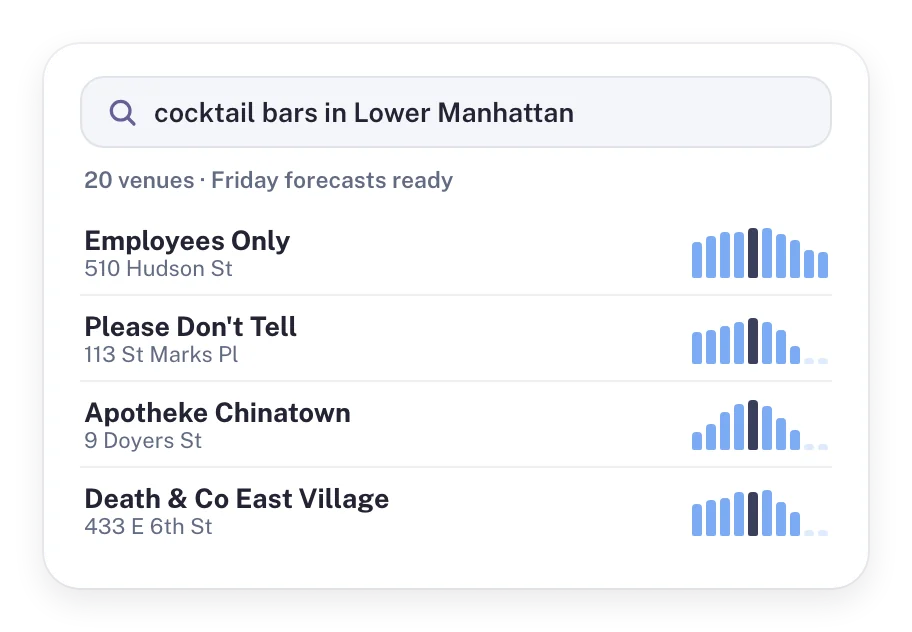 A venue search for "cocktail bars in Lower Manhattan" with a Friday forecast for each result.
Features you can build into a city guide
A "best time to visit" block on every listing
Add a short block under each venue review:
- Quietest time: Tuesday, 10 AM
- Busiest time: Saturday, 9 PM
- Typical visit: 1 to 2 hours
Readers scan this in a second. It works for every category: museums, bars, restaurants, cafes, parks and shops. A small week heatmap (green for quiet, red for busy) gives more detail for readers who want it.
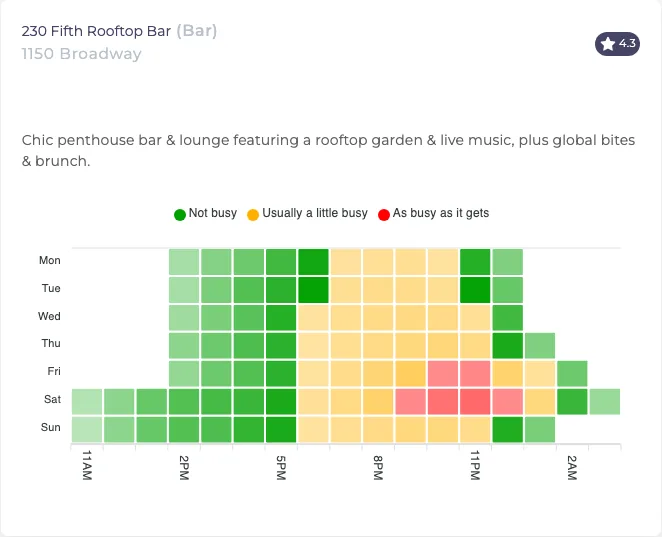 One bar's week at a glance. The busiest hours are late on Friday and Saturday.
Lists ranked by busyness at a chosen hour
Static "top 10" lists treat every hour the same. With forecasts you can sort the same list by what the reader plans to do:
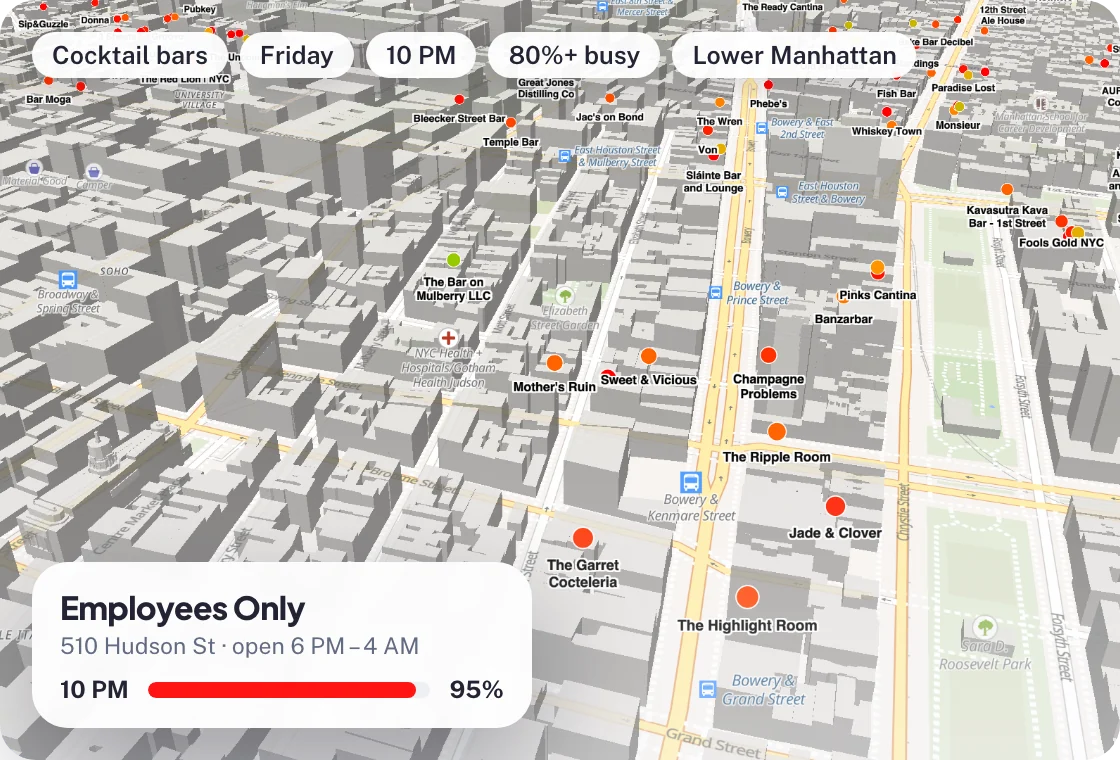
- The busiest cocktail bars in Lower Manhattan on Friday at 10 PM
- Quiet museums on Sunday morning
- Restaurants that fill up early on weekdays, so readers know to book
Nightlife lists that match the night
Nightlife readers usually want a place with a crowd. Filter bars and clubs to those forecast at 70% or more for the reader's night and hour. Show the hour each one peaks so readers can plan a route from early bars to late clubs. The nightlife tutorial walks through this step by step.
Crowd-aware features in location-based apps
The same data works in apps and games that react to place and time:
- Offers in quiet hours. Publish vouchers for shops and bars during the hours they are forecast to be quiet.
- Timing for social posts and ads. Post about a venue just before its busy hours start.
- Game content near busy places. Place in-app events near venues that are forecast to be busy, or steer players to quiet ones.
- Queue tips for tourists. Show the quiet hours of museums and landmarks before visitors set off.
Use the Venue Filter to rank venues in an area
The Venue Filter is the API behind ranked lists and map views. You send an area, venue types, a day, an hour range and a busyness range. It returns the matching venues with their forecasts.
This request asks for bars, cafes and restaurants within 2 km that are at least 70% busy on Friday between 6 PM and 11 PM:
curl -X GET "https://besttime.app/api/v1/venues/filter?api_key_private=YOUR_PRIVATE_KEY&busy_min=70&busy_max=100&day_int=4&hour_min=18&hour_max=23&types=BAR,CAFE,RESTAURANT&lat=40.7209&lng=-73.9963&radius=2000&foot_traffic=both&limit=20"
Notes on the parameters:
day_intruns from 0 (Monday) to 6 (Sunday), so 4 is Friday.- BestTime days run from 6 AM to 5 AM the next morning, so a Friday night that ends at 2 AM still counts as Friday.
busy_minandbusy_maxuse the same 0-100 scale as the forecasts.foot_traffic=bothreturns hourly busyness with each venue, which you can use to draw the small charts in your list.
Each venue in the response includes fields such as venue_id, venue_name, venue_lat, venue_lng, day_raw (hourly values) and dwell time. Check the Venue Filter documentation for the full list of parameters, including rating, review count and price filters. The Venue Filter tutorial has a longer walkthrough.
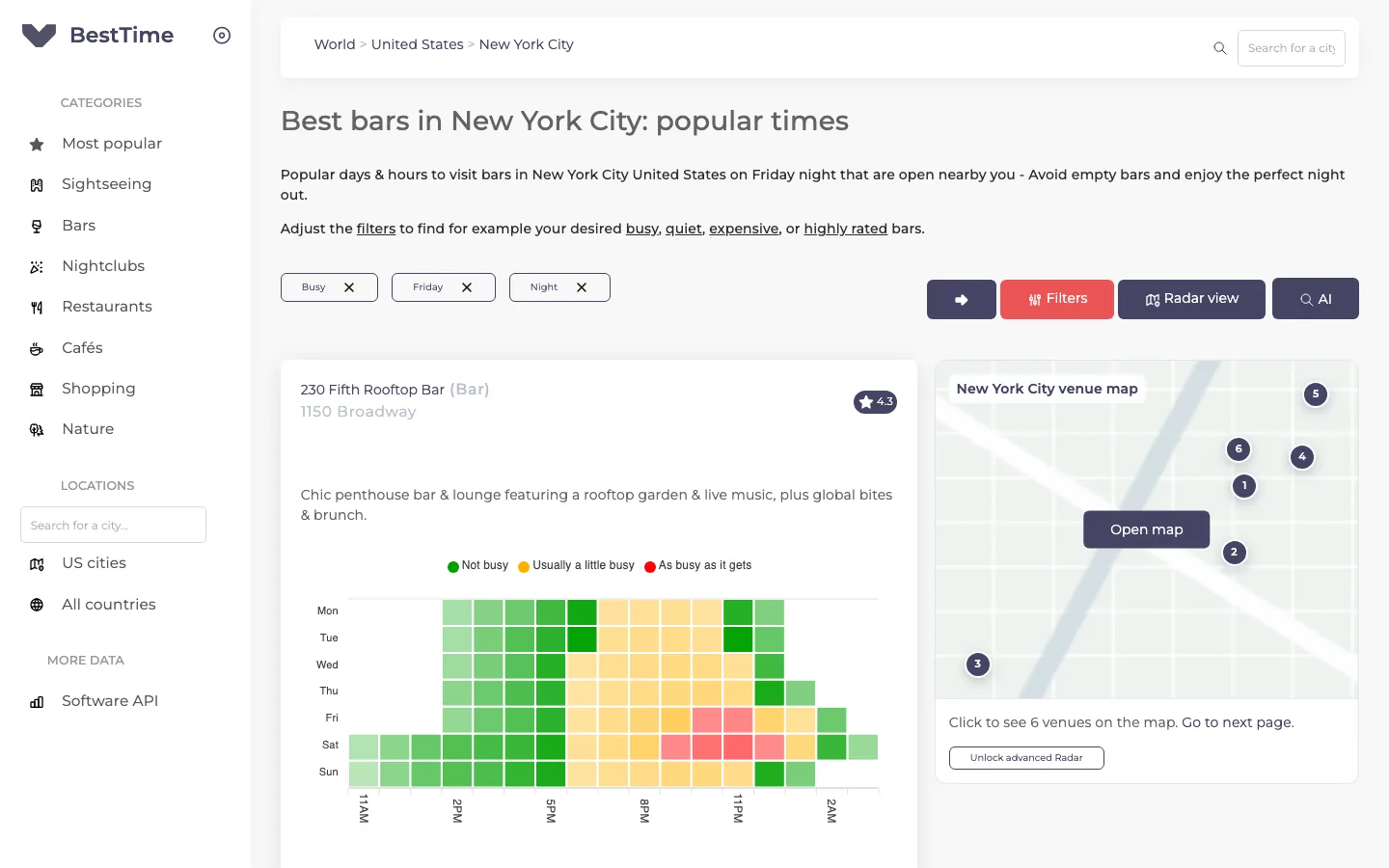 The free BestTime city guide for bars in New York City, filtered to busy Friday nights.
You can try the same filters without code in the free city guides, for example busy bars in New York City on Friday night.
Build your venue list first
The Venue Filter searches venues that already have a forecast. Two ways to fill your list:
- Forecast venues you already cover. If your guide reviews specific places, send each venue's name and address to the forecast endpoint. Save the
venue_idit returns. - Search by category and area. Venue Search takes a text query such as "cocktail bars in Lower Manhattan" and returns matching venues with forecasts. The Venue Search tutorial shows the full flow.
After that, use the venue_id for every refresh. It is cheaper and avoids matching errors.
Costs and caching
Forecasts describe a typical week, so they change slowly. Refresh them every few weeks, cache the results and serve your pages from the cache.
- A first forecast by name and address costs 2 credits. A refresh or query by venue ID costs 1 credit.
- You can start with a free test account, no credit card needed.
- Basic Usage costs $29 per month including 1,200 credits, then $0.04 per credit.
- If your guide covers a fixed set of venues, Pro Venues gives unlimited forecasts for that list: $96 per month for 50 venues, $119 for 100, $149 for 500 and $249 for 1,000.
See the pricing page for details.
Tips for presenting busyness to readers
- Explain the scale once. Add a line such as "100% is this venue's busiest hour of the week." Readers then compare hours, not venues.
- Use words as well as numbers. "Usually quiet", "a little busy" and "as busy as it gets" read faster than percentages.
- Show the venue's local time. Travelers plan from another time zone.
- Don't promise a head count. The forecast tells readers when a place is busy compared to its own week, not how many people are inside.
Next steps
Questions
How can a city guide show the best time to visit a venue?
Pull the hourly busyness forecast for each venue from an API such as BestTime, then show the quietest and busiest hours next to the review. The forecast covers every hour of every day of the week.
Can I rank venues by how busy they are at a specific time?
Yes. The BestTime Venue Filter returns venues in an area that match a busyness range on a chosen day and hour, such as bars that are 80% busy or more on Friday at 10 PM.
Does the busyness percentage show how many people are inside?
No. The 0-100 value is relative to the venue's own busiest hour of the week. It is not a head count and not a share of capacity.
What does it cost to add busyness forecasts to a website?
You can start with a free test account without a credit card. Paid plans start at $29 per month, and Pro Venues plans give unlimited forecasts for a fixed list of venues from $96 per month.
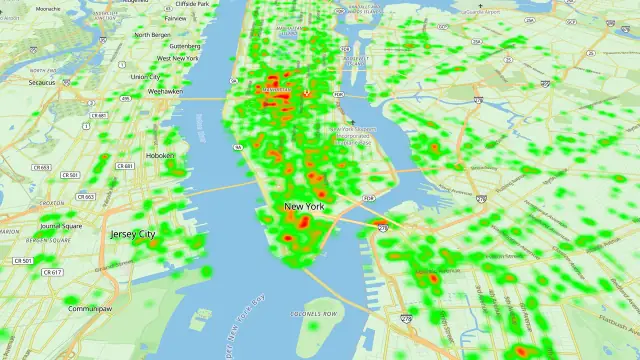
BestTime in 47 seconds
See how busy any place gets, hour by hour
BestTime forecasts how busy a venue gets for every hour of the week, from anonymized, aggregated phone location data combined with weather, events and holidays. Look up one venue, compare a whole city, or use the API.
Try BestTime for free
Create a free account without a credit card, forecast a few venues you know, and see their busy and quiet hours for every day of the week.
Start free See pricing